
4K editing workstation components on a budget

RAM Options
There are a lot of RAM Options available. I prefer to stick to Kingston Memory as they are a solid never fail memory manufacturer with a good warranty. They warranty their memory for life essentially. For an Editing Station, I recommend a minimum of 32 GB of RAM to start with and a minimum memory speed of 2133Mhz. Memory goes on sale and there are a lot of competing brands that are also fine. Keep looking for deals on this. In the meantime i will post links to what i feel is good quality and decent performance memory.
Storage Options
I prefer to have my storage separate from my computer itself, this allows you to build an editing system that is more focused on performance rather than storage. Put all of your high-end processing power into one box and storage in another. However not everyone can afford a real RAID solution. There are several good options here. Lets talk drives first.
Every storage system needs cheap but reliable Storage. Seagate NAS drives are good options!
| Seagate 4 TB drive | Seagate 6 TB drive | Seagate 8 TB drive |
For the 16 TB minimum capacity we are looking at, there are several combinations. the cheapest and most performance is to use a total of 5 drives @ 4 TB’s each in RAID 5 configuration. This gives you your 16 TB of usable space (4 drives usable, 1 drive parity drive) and the most performance. The more drives in an array, the more throughput of performance due to having less intensive IO on each drive. That being said you need to use either a computer that supports 5 SATA connectors and drive bays to hold these drives or an external NAS or SAN device. If not going up to a higher capacity drive may seem like a better choice. 6TB or 8TB combinations. with 3 x 8TB drives you achieve the same result only less performance per your array due to less spindles. You decide however ultimately it comes down to your pocket-book or setup you are looking for.
Lets talk External Enclosures, NAS or External RAID devices.
We’ve already briefly discussed FreeNAS to set up your own NAS device on an older or not used PC turning it into an iSCSI or NAS box. Here are some other retail options that will performance better out of the box and will save you from building a or finding a second PC lying around and time to configure FreeNAS.
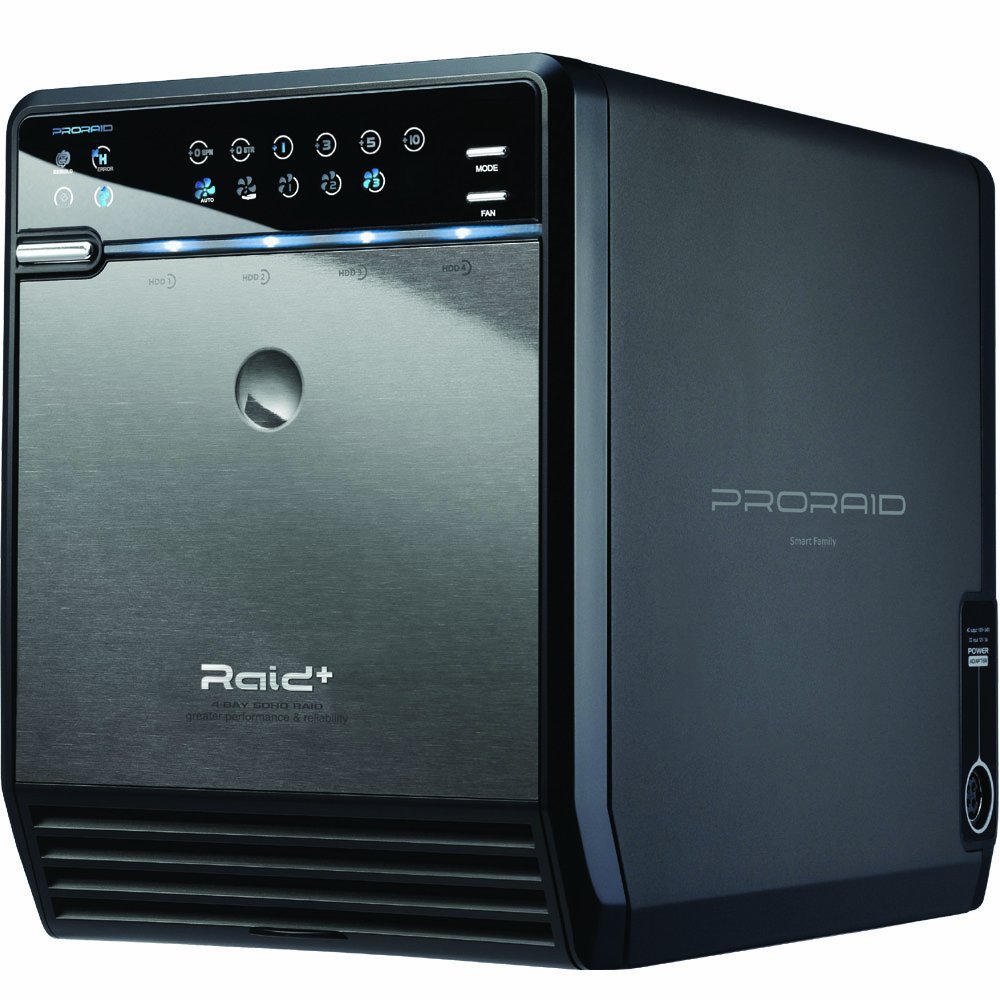 Media Sonic PRO RAID Enclosure – This Unit is an affordable entry-level RAID for a 4-drive setup which means buying (4) 6 TB drives to get just over 18 TB of usable space. These units are cheap and RAID performances are slow and are not as reliable or have all of the features of the bigger more expensive systems however they will get you started and because they are cheap you can buy more than one to back up your data offsite in one convenient package. Sporting USB 3.0 connectivity and eSATA, the interface choice is a good mix.
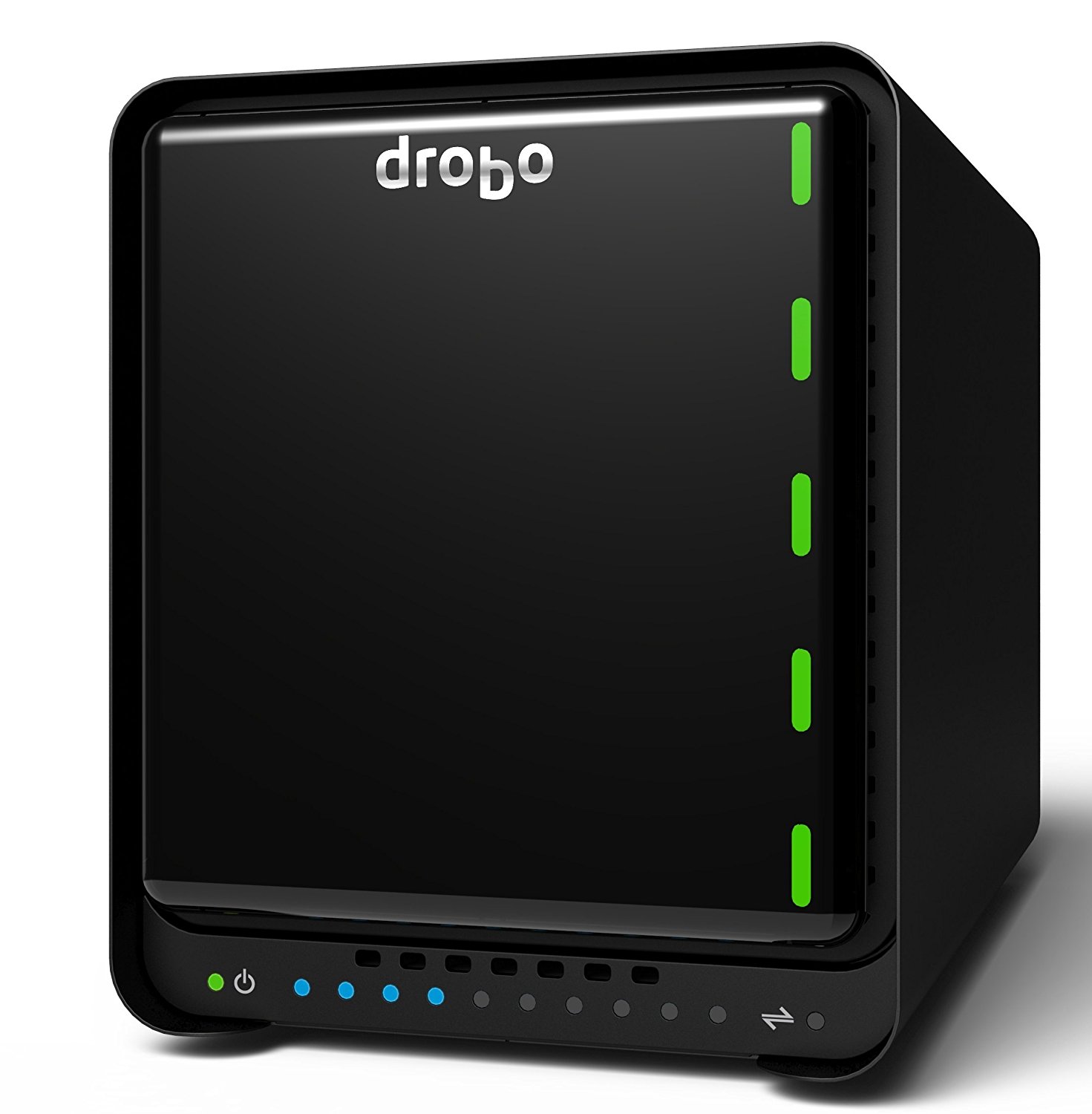 DROBO RAID Enclosures – These little guys are a big step up from the MediaSonic. More than an Enclosure, these RAID units will self adjust to changing circumstances and allow you to hotswap upgrade or change drives and the unit will expand or contract all while preserving your data. Using proprietary “BeyondRAID” technology these units are a great start to getting into the RAID storage world for the novice. Just plug-in drives follow the instructions and install the software. Two options are recommended. The Thunderbolt one is a more robust interface and i highly recommend that if you add a thunderbolt interface to your motherboard via add-on card so that you can take advantage of it. Thunderbolt 3.0 is what the second Drobo offering has. You won’t regret investing in a solid interface. check out www.drobo.com for more details.
| Drobo 5C (USB 3.0 only) – Slower | Drobo 5D3 (Thunderbolt 3.0) – Fastest! |
QNAP NAS Solutions – These boxes are the Cadillac’s of the RAID boxes giving you more options as your storage grows. There products range from Drobo like performance to large-scale collaboration production units and most of their units can collaborate by chaining together even at the smaller end. They do require more set up then Drobo’s as they are not plug and play for the complex iSCSI technology but the hardware technology behind them (using full linux implementations) underscores how powerful these units are. They are fully functional PCs with higher end connections for doing serious 4K and collaboration work. All QNAPs are both NAS or SAN depending on how you set them up. I currently run one of the older models that is now discontinued but i can tell you that these units perform and they perform well with very little compromise. Everything from drive encryption, to setting up remote QNAP to QNAP snapshotting, to setting up an entire media center on the QNAP by itself. Not just storage, these units have it all..
Again when Editing, the interface and drive IO speed is the most important, if you are considering doing iSCSI seriously with a lot of throughput, lets say you have more than one editor or you are very concerned with Backups and disaster recovery, these units are for you. They have a good warranty and support too. Were not saying that the DROBO’s are not good units they are just inferior in terms of raw hardware processing compared to QNAP units. If you have the budget for, i serious recommend you take a look at these units. Also if you plan on expanding your RAID volumes later on, some QNAP units can be expanded by adding in iSCSI Addon cards using 10 Gigabit Ethernet connections to allow connecting more units together.
Storage and performance is an investment, if things are spec’d out correctly and set up correctly, you can enjoy years of uninterrupted or minor interruption to your data and sleep at night knowing things are working and will continue to work for years to come. For more information check out QNAP’s website. www.qnap.com
| QNAP TS-653A
Entry Level SAN Recommendation
|
QNAP TVS-671 ** This is what i would buy today if i was replacing my current unit.
|
QNAP TVS-882T Best performance and connection features. Most expensive however but well worth the investment!
|
I hope this article was helpful to you! Please consider purchasing through my links in the article, i get a small commission for my hard work researching and putting together this information for you!
Feel free to contact me should you have any questions or comments.
Also any suppliers who wish to send me some commercial samples of any of the listed equipment are welcome to do so. I would enjoy doing a follow-up on an actual build!
Don’t forget to subscribe to my YouTube channel and look for a future article for more in-depth Backup procedures and strategies!
until next time,
Thanks again!


